+1 (431)600-3626

Picture a boutique owner with a Squarespace site who wants a booking form that sends a deposit link and tags each lead by service. She spends a weekend on forum threads and code snippets. The form still breaks on phones.
Across town, a florist on the same template pays a developer for three hours. The form works, the page loads faster, and she’s back to arranging flowers. Neither owner did anything wrong. One just knew where the editor stops.
This guide shows when to hire a Squarespace developer, what the work costs, how to pick one, and which jobs you can safely do yourself.
Not sure your site needs a developer? Send us the link. We’ll review it and tell you plainly what it needs, including when the answer is “nothing yet.”
$15-$38
median hourly rate for Squarespace developers on Upwork
$25
typical hourly rate at beginner level
$47
typical hourly rate at intermediate level
$100
typical hourly rate at advanced level
Rates from Upwork’s Squarespace developer cost page. Developer Platform details from Squarespace’s Developer Platform Quick Start.
Key Takeaways
- Hire a Squarespace developer for custom code, migrations, store rules, and speed or SEO fixes. Skip one for text, images and new pages.
- Check your Squarespace plan first. Site-wide custom code needs a plan that allows it.
- Upwork lists $25, $47 and $100 an hour for beginner, intermediate and advanced developers. Agencies price by project and cost more.
- A freelancer suits fixes and single features. A studio suits full builds and migrations.
- Ask to see live Squarespace sites, get a written scope, and confirm you own the code and accounts.
Direct Answer
You should hire a Squarespace developer when your site needs something the built-in editor can’t do: custom code, a store with unusual rules, a move from another platform, or fixes for speed and search visibility. For routine edits, do the work yourself. A professional Squarespace developer on Upwork typically charges about $25 an hour at beginner level and up to $100 at advanced level. Agencies and studios price by project.
What Does a Professional Squarespace Developer Do?
A professional Squarespace developer builds the things the editor can’t: custom code, layout fixes, store changes, tool connections and migrations.
Day to day, that means custom CSS, JavaScript added through code injection, and changes to checkout behavior. They also connect forms to outside tools, such as a CRM through CRM automation or a booking calendar, and they move sites over from WordPress or Wix.
Some developers go further and edit the template files through Squarespace’s Developer Platform, which opens the code through Git or SFTP. A designer is a different hire. A designer decides how the site looks and reads, while a developer makes it behave. Plenty of projects need both, so say which one you want in your job post. If you’d like to see how this work is scoped, our Squarespace design and development services page lists what we handle.
Do You Need a Developer, or Can You Do It Yourself?
Most small sites don’t need you to hire a Squarespace developer for routine work. Bring one in when code, migrations or store logic are involved.
| Task | Do it yourself? | Hire a developer? |
|---|---|---|
| Edit text, swap images, reorder pages | Yes | Not needed |
| Publish a blog post or add a page | Yes | Not needed |
| Match fonts and colors to your brand | Mostly, with Site Styles | Helpful if brand rules are strict |
| Custom forms, sticky elements, special layouts | Hard without code | Yes |
| Move a site from WordPress, Wix or another builder | Risky | Yes, because URLs and redirects affect rankings |
| Store with custom shipping, membership or product rules | Limited | Yes |
| Slow pages, missing schema, indexing problems | Partly | Yes, ideally someone with SEO skills |
| Analytics, ad pixels and chat tools that clash | Sometimes | Yes, when scripts conflict |
Search problems are often a mix of site structure and content. If rankings are the real issue, our SEO services cover what a developer alone won’t.
Quick Self-Check
Is it time to hire a Squarespace developer? Tick any that apply:
- You’ve spent hours on one layout or form problem
- A feature you need isn’t in the editor or its extensions
- You’re moving from WordPress, Wix or another builder
- Your site loads slowly on phones
- Analytics, ad or chat scripts clash with each other
Two or more ticks usually means a developer will save you time. Our free consultation tells you which fix to make first.
How Much Does It Cost to Hire a Squarespace Developer?
Upwork lists Squarespace developers at $25 an hour for beginners, $47 for intermediate and $100 for advanced work. Agencies and studios price by project and cost more.
Upwork also publishes a median hourly range of $15 to $38 for Squarespace developers. Project pricing is different. One Squarespace design studio’s price guide gives these reference ranges for the US and Canada:
| Project type | Reference price |
|---|---|
| Template customization | $250 to $1,000 |
| Custom 5 to 6 page site, newer designer | $2,000 to $4,000 |
| Custom 5 to 6 page site, established designer | $6,500 to $12,000 |
Treat these as a starting point, not a quote. They come from a single studio’s guide and cover design-led builds, so a project heavy on custom code or store logic can land higher.
| Experience level | Typical hourly rate (Upwork) |
|---|---|
| Beginner | $25 |
| Intermediate | $47 |
| Advanced | $100 |
Before you hire a Squarespace developer on rate alone, remember that a low hourly rate can cost more if the work has to be redone. Ask for a scoped quote with listed deliverables. This table shows what moves a quote:
| Cost factor | Lowers the price | Raises the price |
|---|---|---|
| Pages | A few pages | Many pages or long content imports |
| Features | Built-in blocks only | Custom code, forms with logic, integrations |
| Store | Simple products | Custom shipping, memberships, product rules |
| Migration | New site, no history | Existing site with URLs to protect |
| Content | You supply the text | Copywriting and images included |
| Timeline | Flexible | Rush delivery |
One-Off Project or Ongoing Support?
Choose a one-off project for a single build or fix. Choose ongoing support if you change the site often or run campaigns that need new pages.
A monthly arrangement usually covers updates, small fixes and new pages. Ask what’s capped each month, such as hours or page counts, before you sign.
Know What You’re Buying
Start with a free consultation. Tell us what the site needs and we’ll explain which parts call for a developer and which you can handle yourself.
Freelancer, Agency or Marketplace: Which Should You Pick?
When you hire a Squarespace developer, pick a freelancer for fixes and single features, and a studio or agency for full builds, migrations and SEO-led projects.
| Option | Works best for | Watch for |
|---|---|---|
| Freelancer | Fixes, one feature, small builds | One person means limited availability and no backup |
| Studio or agency | Full builds, migrations, SEO-led projects | Higher cost. Ask who does the actual work |
| Marketplace (Upwork, Fiverr, Contra) | Quick starts and small tasks | Quality varies. Read the portfolio and the reviews |
| Vetted talent network (Toptal, Arc) | Longer engagements | Premium pricing |
Prefer a marketplace? You can also hire Ravi B. on Upwork, our Top Rated Plus Squarespace developer, or book a consultation first and we’ll scope the job with you.
How Do You Hire a Squarespace Developer, Step by Step?
To hire a Squarespace developer well, write down your goal, audit your site, brief the developer, shortlist from live work, ask the right questions, start small and agree on handover.
- Write the goal in one sentence. Something like “get more booking requests from mobile visitors.” A goal beats a feature list.
- Audit what you have. Note your Squarespace version (7.0 or 7.1), plan, template and every outside tool connected to the site.
- Write a short brief. Use the template further down.
- Shortlist candidates. Look at live Squarespace sites they built or fixed. Mockups prove little.
- Ask the vetting questions in the next section. Slow or vague answers tell you plenty.
- Start small. A paid test task or a fixed-scope first milestone shows how they work before you commit the budget.
- Agree on handover. You keep the account logins, and the developer documents any custom code.
What Should You Ask Before You Hire a Squarespace Developer?
Ask every professional Squarespace developer on your shortlist about live work, plan requirements, custom code upkeep, migration safety, testing, revisions and ownership.
- Can you show live Squarespace sites you built or repaired, and what you changed on each?
- Which Squarespace version and plan will my project need?
- How do you handle custom code, and who maintains it when Squarespace updates?
- If this is a migration, how will you protect my URLs and rankings?
- How do you test on phones and in different browsers?
- How many revision rounds are included, and what do you need from me?
- Who owns the code and the accounts when the project ends?
What Limits Can a Squarespace Developer Not Remove?
Some limits belong to the platform: plan-gated code, no support for custom code, and trade-offs in Developer Mode. A good developer tells you early.
Does My Squarespace Plan Allow Custom Code?
Often not on entry-level plans. Squarespace’s Help Center lists code injection and advanced code blocks on the Core, Plus and Advanced plans, plus the older Business and Commerce plans. The entry-level Basic plan isn’t on that list. Check your plan before you pay for work that depends on it.
Who Fixes Custom Code When It Breaks?
You or your developer. Squarespace says code-based customizations fall outside the scope of its support team, so an update that breaks a script lands on your side. Ask any developer how they document and monitor what they add.
What Does Developer Mode Change?
Per Squarespace’s Quick Start, a site in Developer Mode stops receiving template updates and can’t switch templates. That suits a custom build and fits a simple brochure site poorly.
Sometimes the honest answer is that Squarespace is the wrong tool. If you keep hitting these limits, a WordPress build may fit better. See our WordPress development services for what that looks like.
Expert Insight
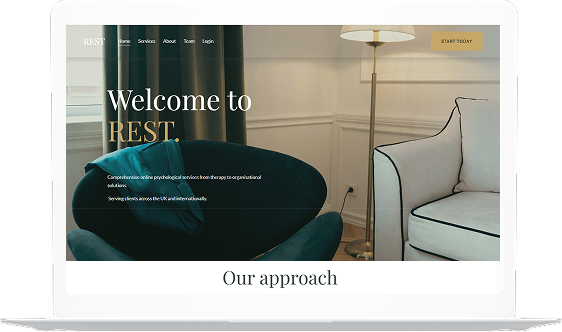
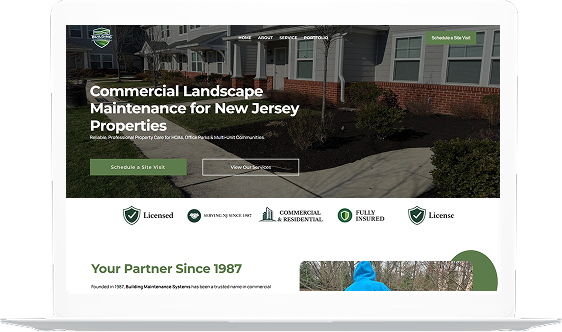
Molecular Beauty MD is one of our Squarespace client sites. For a brand built on medical expertise, clear product pages and trust signals matter more than flashy effects, so that is where a developer’s hours should go first. You can browse more of our client sites in the case studies below.
Proven Client Results
Case Studies








What Are the Most Common Mistakes When Hiring?
The biggest mistakes people make when they hire a Squarespace developer are choosing on rate alone, writing a vague brief and skipping a redirect plan.
- Choosing on hourly rate alone.
- Sending a vague brief like “make it modern” and expecting a fixed price.
- Judging by mockups instead of live sites.
- Changing URLs during a redesign with no redirects, which can drop pages out of search results.
- Letting the developer hold the only admin login.
- Stacking custom scripts until pages load slowly.
- Never checking the finished site on a phone.
When Should You Hire a Squarespace Developer?
Hire a Squarespace developer when one problem has eaten several hours, a needed feature doesn’t exist in the platform, or a migration could change your search traffic.
The same goes for a site that loads slowly on mobile, or one that looks fine but doesn’t bring in enquiries. If none of that sounds like your site, keep doing the edits yourself and save the budget. Paid traffic changes the picture, since slow or mismatched pages waste ad spend. Our digital marketing services can look at that side. If the problem is the site itself, our Squarespace developer team can take it on.
What Should a Squarespace Project Brief Include?
A good brief helps any Squarespace developer for hire quote accurately. It states your goal, site details, needed pages and features, connected tools, references, deadline, budget and who approves the work.
Copy this list and fill it in. It saves a round of back-and-forth and gets you quotes you can compare.
- Business and goal: what you sell and what the site should achieve.
- Site details: URL, Squarespace version, plan, template.
- Pages or features needed: list each one.
- Tools to connect: CRM, booking, email, analytics, payments.
- Reference sites: two or three you like, and why.
- Deadline and budget range: a range is fine.
- Approvals: who signs off on the work.
FAQ: Hiring a Squarespace Developer, Answered
Free Consultation
Find Out What Your Site Actually Needs
Whether you hire a Squarespace developer or keep the work in-house, send us your site link and what you want it to do. We’ll come back with:
- Which jobs need a developer and which you can do yourself
- What your current Squarespace plan allows
- Whether Squarespace still fits, or another platform would suit you better
Sources: Upwork, Squarespace developer cost · Squarespace Help Center, code-based customizations · Squarespace Help Center, code injection · Squarespace Developer Platform · Squarestyle, Squarespace designer cost · By Crawford, Squarespace timeline

Gaurav Vats
Exotica IT Solutions · Last Updated: 2026-10-29
Gaurav Vats writes about web design, technical SEO and AI automation for Exotica IT Solutions, working with businesses across Canada and the United States. Connect on LinkedIn
Exotica IT Solutions · 385 Edgevalley Rd, London, ON · +1-431-600-3626